Change Your hoo.be Handle
Available on: Pro, Premium
Note: Basic users select their handle during onboarding and cannot change it later.
Your hoo.be handle determines your profile URL (for example, hoo.be/tombrady). Updating your handle allows you to better match your page to your brand, name, or content focus as it evolves.
Because your handle is part of your public link, changes should be made thoughtfully.
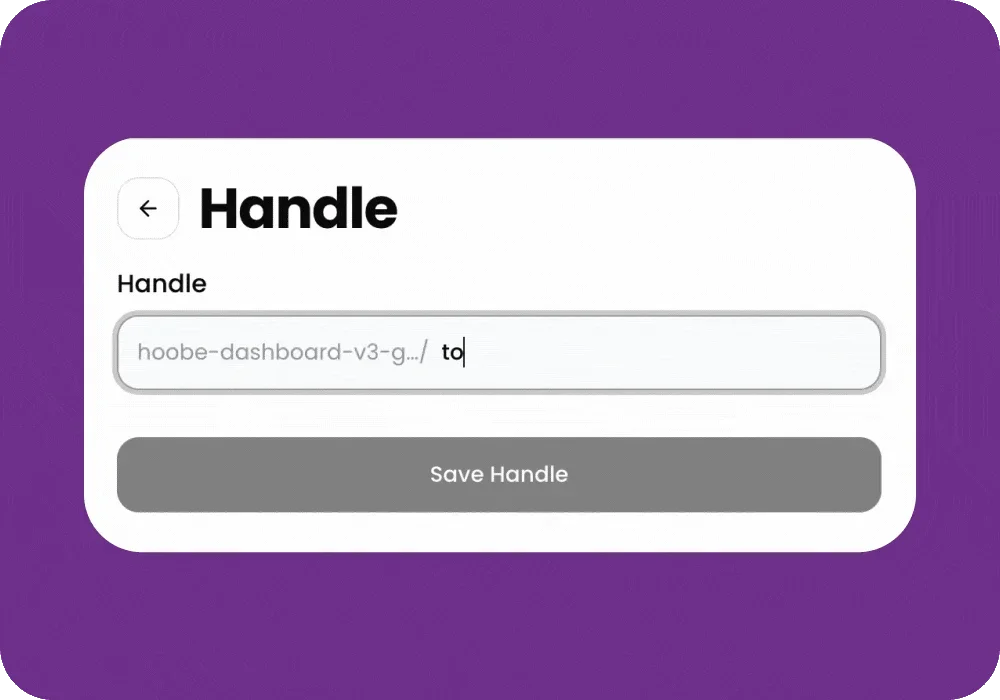
How to Change Your Handle
Steps:
Log in to your hoo.be account at hoo.be/login
Click Account in the left-hand sidebar
Select Page Settings
Enter your desired handle in the Handle field
Review availability:
✅ Green checkmark means the handle is available
❌ X icon means the handle is unavailable
Click Update Handle to confirm
Handle Requirements
3–30 characters
Letters, numbers, and hyphens only
No spaces or special characters
Must be unique across hoo.be
Handle changes may be limited in frequency
Important Considerations
URL changes immediately: Your profile link updates as soon as the handle is changed
Old links: Previously shared links may stop working
Social bios: Update your hoo.be link anywhere it’s shared
Brand impact: Choose a handle you can commit to long-term
Best Practices
Match your handle to your creator name or brand
Keep it short, clear, and easy to remember
Stay consistent across platforms when possible
Check availability before announcing changes
FAQs
Can I change my handle on a free plan?
No. Handle changes are available on Pro and Premium plans only.
Can I change my handle back later?
Handle changes may be limited, so choose carefully before updating.